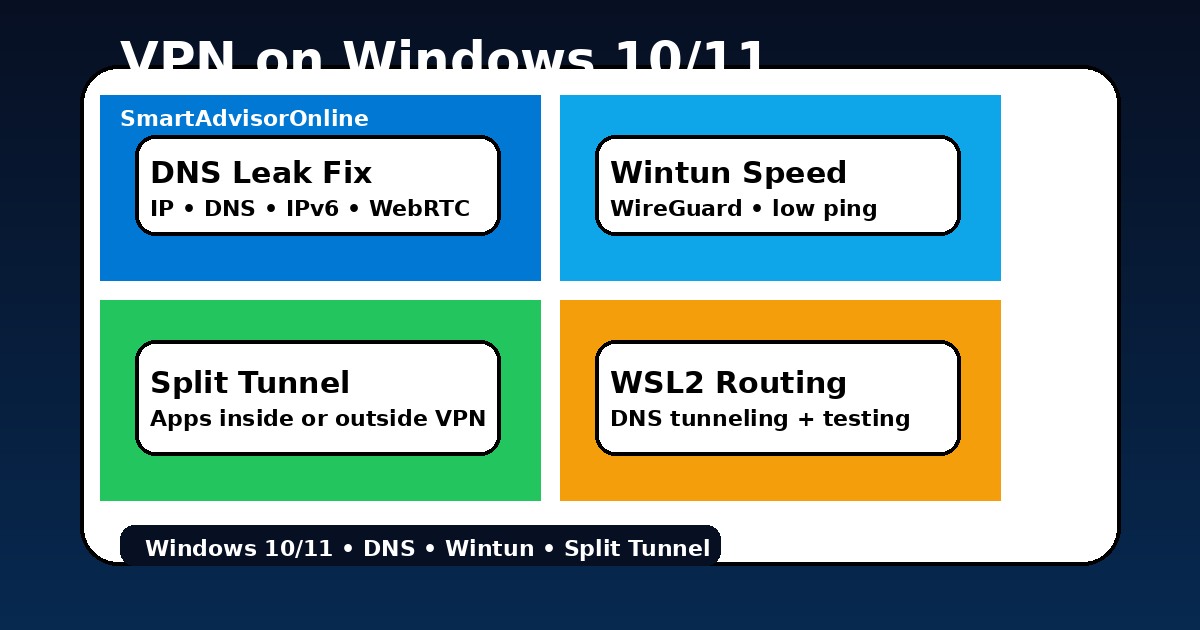
VPN on Windows 10/11 (2026): DNS Leaks, Split Tunneling, Wintun Speed and Low-Ping Setup
Windows is still where most real-life VPN headaches show up first. It is the machine people use for work, torrents, Discord, Steam, browser sessions, file sync, and all the background traffic nobody thinks about until something leaks. That is why a "connected" badge is not enough. You need a setup that survives bad café Wi-Fi, Windows 11 DNS weirdness, driver conflicts, and the moment you decide qBittorrent must stay inside the tunnel while Chrome stays outside.
This guide is built for exactly that. I will show you where Windows 10/11 still causes trouble, why WireGuard-based protocols usually win, where the built-in client still falls short, and how to make split tunnelling work without creating a leaky mess. If you need the very first foundation before this, use How VPN Works and What Is a VPN? first.
Start here: the safest Windows VPN setup
Live status
This standard status block stays here for layout consistency and to confirm our live feed is healthy. It is not a Windows test by itself - it is your quick signal that the shared monitoring pipeline is alive before you move to the system-specific checks below.
How to check Windows VPN leaks: IP, DNS, IPv6 and WebRTC
Windows Leak Dashboard
Simulate a Windows connection profile and see where the weak point usually appears first.
| Method | Best part | Main weakness | Use it when |
|---|---|---|---|
| Native app | Fastest setup, leak controls, real kill switch | Still depends on correct Windows adapter behaviour | You want a safe daily setup with minimal hassle |
| Manual WireGuard | Clean, fast, transparent config | You must manage routing logic yourself | You know exactly which tunnel you want |
| Built-in Windows client | Useful for work profiles and IKEv2 | Weak convenience, weaker leak handling | An employer gave you a profile or server details |
| Browser extension | Quick for one browser | Does not protect apps, sync, Steam, or Windows updates | You only care about browser traffic and know the risk |
That last point matters. A browser add-on is closer to the logic explained in VPN vs Proxy than to a real system tunnel. That is why people think they are protected while Discord, OneDrive, telemetry, and update traffic continue normally outside the encrypted route.
Windows 11 Smart Multi-Homed DNS: why it still trips people up
Windows 11 tries to be clever. Smart Multi-Homed Name Resolution can send DNS lookups through more than one adapter, which is great for "speed" on paper and terrible for privacy when one of those adapters is your normal ISP path. In other words, the tunnel can look healthy while DNS still takes a side road.
This is one of the biggest reasons I still send people first to VPN DNS Leak Protection and then to VPN Troubleshooting. The fix is usually simple, but only if you are looking at the right layer.
1) turn on the VPN app's DNS leak protection;
2) reconnect on a clean server;
3) flush DNS cache;
4) only then touch Windows-level settings if the leak test still fails.
Advanced: reduce Smart Name Resolution leaks
Use this only if you are comfortable with PowerShell as Administrator and only after the VPN app's own DNS protection is enabled.
Set-ItemProperty -Path "HKLM:\Software\Policies\Microsoft\Windows NT\DNSClient" -Name "DisableSmartNameResolution" -Value 1 -Type DWord
ipconfig /flushdns- What this helps: fewer "all adapters" DNS lookups.
- What it does not replace: app-level DNS leak protection.
- What to do next: run the Leak Test Tool again.
How to fix a Windows VPN DNS leak: step-by-step
- Reconnect the VPN app and make sure DNS leak protection is enabled.
- Flush DNS with
ipconfig /flushdns. - Retest IP, DNS, IPv6 and WebRTC with the Leak Test tool.
- Only then adjust Windows policy or adapter settings if the same leak still appears.
WSL2 and WSA: the hidden Windows routing headache
Windows 11 power users forget one thing all the time: the host tunnel is not automatically the same thing as the tunnel inside developer tooling. WSL2 and Windows Subsystem for Android sit in their own virtualised networking world. Sometimes they behave nicely, sometimes they keep their own ideas about DNS, routing, or NAT. If your main browser is safe but a Linux container still resolves through the wrong path, that is not paranoia - it is a different network stack.
This is also why comparisons like Site-to-Site VPN or VPN Access Control matter even on a personal laptop. The minute you run multiple virtual interfaces, routing logic starts behaving more like a mini network than a simple home PC.
How to configure Windows split tunneling by app
Split-Tunnelling Architect
Click each app to move it between the tunnel and the bypass zone. The recommendation below updates automatically.
Choose app
Inside tunnel
Bypass VPN
Suggested Windows split
Move qBittorrent inside the tunnel. Put Steam or Discord outside only if you really need the ping. Re-test with Leak Test Tool and then verify torrent-side behaviour with the workflow in VPN for Torrenting.
| Scenario | Inside VPN | Outside VPN | Why it works |
|---|---|---|---|
| Privacy-first desktop | Browser, mail, qBittorrent, sync | Nothing | Best for a clean, boring, low-risk setup |
| Gaming | Browser, launcher login, torrent client | Steam game traffic, Discord | Keeps low ping where it matters |
| Remote work | Browser, admin tools, password manager | Teams if company policy allows | Low call latency without exposing your main workflow |
| Travel laptop | Everything by default | Maybe local printer apps | Safest path on hotel or airport Wi-Fi |
How to fix Windows VPN MTU fragmentation
MTU tuning is one of those unglamorous fixes that suddenly feels brilliant after you do it. When packets are too large for the path, Windows ends up fragmenting them or retransmitting them. The result can look like "random slowness" even though your raw speed test still looks fine. This is especially visible on strict networks, hotel Wi-Fi, and older routers.
If you keep bouncing between protocols, compare this with Types of VPN Protocols and WireGuard vs NordLynx. A protocol decision and an MTU decision usually belong in the same conversation.
MTU & Latency Optimizer
Slide packet size and see the usual trade-off between fragmentation risk and latency smoothness.
Why Windows 11 security features can break VPN drivers
Windows 11 security hardening is good news overall, but virtualisation-based security and memory integrity can expose weak VPN drivers fast. That does not mean "Windows security breaks VPNs". It usually means an old driver, old adapter component, or a half-updated app stack is colliding with new kernel expectations.
| Feature | What it changes | What you may notice | Best response |
|---|---|---|---|
| VBS | Tighter isolation around sensitive components | Older VPN drivers feel unstable or slow | Update the app and adapter first |
| HVCI / Memory integrity | Stricter kernel driver rules | Legacy TAP-style drivers may complain | Prefer Wintun or a current provider app |
| Smart App Control | More aggressive app trust model | Odd prompts during install | Use official installers only |
Use real tools before changing Windows settings
Do not edit registry, adapter priority or MTU first. Test the actual symptoms. Check IP, DNS, IPv6 and WebRTC, then compare baseline speed versus VPN speed, then check live service status if a streaming or login page is the only thing failing.
Check your setup with tools
This is the section people skip and then wonder why privacy still feels random. Do not stop at "Connected". Run a leak test, check whether the tunnel survives reconnects, and compare what happens after you change protocol, server, or split rules. If you also use a phone, compare your Windows behaviour with VPN on iOS or VPN on Android to see how differently each platform handles persistence.
✓ Leak Test referenced for IP / DNS / IPv6 / WebRTC checks
✓ Speed Test referenced for baseline vs VPN speed comparison
✓ Streaming VPN Diagnostic and Status Center added for platform-specific symptoms
✓ Windows DNS, split tunneling, WSL2 DNS tunneling, Wintun and MTU notes reviewed
Verification date:
Common Windows VPN problems and the shortest useful fix
| Symptom | Most likely cause | First thing to try | Then read |
|---|---|---|---|
| Huge speed drop | OpenVPN overhead or a far server | Switch to WireGuard/NordLynx and pick a closer region | VPN Speed Test |
| VPN disconnects after sleep | Adapter state and weak reconnect logic | Reconnect manually once, then switch protocol | VPN Not Connecting |
| qBittorrent leaks but browser looks fine | App is outside the tunnel | Use split tunnelling or interface binding | VPN for Torrenting |
| DNS still shows ISP | Windows 11 resolver path | Enable DNS protection, flush DNS, retest | VPN DNS Leak Protection |
| Network blocks the tunnel | UDP ports filtered by office or public Wi-Fi | Switch to TCP/443 or a stealth mode | VPN for Public Wi-Fi |
PAA: Windows VPN questions people ask
Updated on May 22, 2026. We refresh this guide when Windows routing behaviour, app adapters, or our live checks point to new trouble spots.