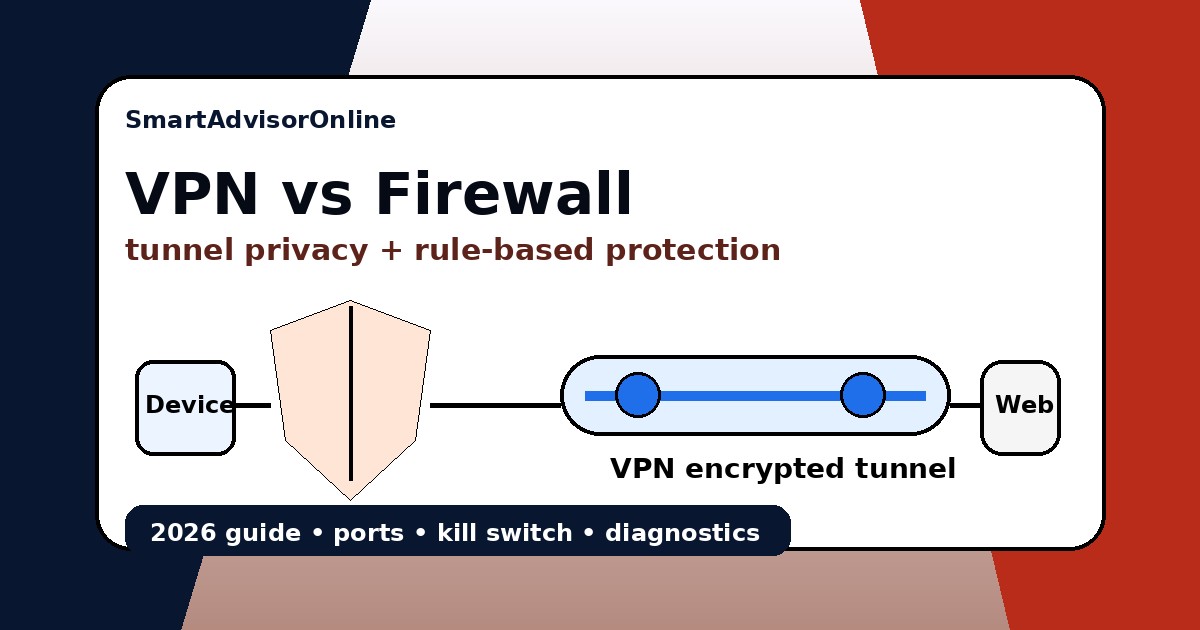
VPN vs Firewall (2026): what each layer protects, port blocks & why you need both
This confusion never dies: people install a VPN and think it replaces a firewall, or they trust the firewall alone and assume their VPN needs are covered. That is not how it works. A firewall does not hide your IP. A VPN does not automatically stop every hostile inbound or outbound connection. Once you understand the split, guides like how VPNs work, VPN security basics, and VPN encryption start making far more sense.
In real life, the two layers overlap just enough to confuse people. A kill switch often uses local firewall rules. Corporate firewalls often block VPN ports. Hotel Wi-Fi may let web traffic through but break IPsec or WireGuard. That is why this article is not about "VPN versus firewall" as a fight. It is about which layer solves which problem, where they clash, and how to set up both without breaking your connection. For related comparisons, see VPN vs Proxy and VPN vs Tor.
Start here: VPN vs firewall in simple words
| Question | Firewall | VPN |
|---|---|---|
| What does it mainly do? | Allows or blocks traffic based on rules. | Encrypts and routes traffic through a VPN server. |
| Does it hide your IP from websites? | No. | Usually yes, websites see the VPN exit IP. |
| Does it block unwanted inbound traffic? | Yes, this is one of its main jobs. | Not as a full replacement for local firewall policy. |
| Can it break VPN connections? | Yes, strict outbound rules can block VPN ports or protocols. | Yes, a VPN app can also create firewall-based kill switch rules. |
| Best setup for normal users? | Keep the firewall on and tune the VPN instead of treating one as a replacement for the other. | |
Live streaming status
We keep the same live status block from the Hulu standard here because route quality matters even in a firewall article. If the tunnel path is bad, people often blame the wrong layer.
The Cyber-Fortress Simulator
The Cyber-Fortress Simulator
Toggle the layers and see what changes.
The Packet Inspector
The easiest way to stop mixing these tools up is to ask one question: what does the observer see? A firewall-only setup still leaves your IP visible to the outside world. A VPN-only setup hides your route better, but if you allow bad app behavior or weak local rules, you can still have trouble. This is exactly why public Wi-Fi, online banking, remote access, and remote work are better with both layers doing their own jobs.
The Packet Inspector
See what an observer can still learn in each mode.
Direct connection
Without a firewall or VPN, your route is exposed and connection attempts depend mostly on default device behavior.
The Port & Protocol Selector
When a VPN refuses to connect, people often blame the provider first. But on office, campus, airport, and hotel networks, the firewall is frequently the real problem. Ports matter. IKEv2 often depends on UDP 500 and 4500. WireGuard is commonly blocked on unfamiliar UDP patterns. OpenVPN over TCP 443 is slower, but it survives more hostile networks because it looks closer to ordinary web traffic. This is also why VPN protocol types, VPN protocol comparisons, WireGuard vs NordLynx, and VPN not connecting are linked topics, not separate mysteries.
The Port & Protocol Selector
Start with OpenVPN TCP 443 or an obfuscated mode. Corporate firewalls often block or inspect UDP-heavy VPN traffic more aggressively.
VPN vs Firewall 2026: the security matrix
| Feature | Firewall (The Shield) | VPN (The Tunnel) | Combined |
|---|---|---|---|
| Primary goal | Blocks unauthorised access | Hides route and encrypts traffic | Total layered defence |
| Encryption | No | Yes | Yes |
| IP masking | No | Yes | Yes |
| Threat blocking | Yes Strong | Limited by itself | Best |
| Port conflicts | Can cause them | Suffers from them | Needs correct tuning |
| 2026 verdict | Mandatory baseline | Essential privacy layer | Recommended layered setup |
When a firewall matters more than a VPN
The comparison becomes much clearer when you stop asking which tool is "better" and ask which problem you are solving. A firewall is more important when you need to control access: blocking unwanted inbound traffic, restricting suspicious apps, or enforcing rules on a work laptop. A VPN matters more when you need to protect the route: public Wi-Fi, hotel networks, travel, ISP profiling, or keeping your home IP out of direct exposure.
| Situation | Firewall | VPN | Best choice |
|---|---|---|---|
| Public Wi-Fi in cafés, hotels, airports | Useful, but not enough | Critical for encrypted transit | Both |
| Blocking suspicious apps or lateral traffic | Primary layer | Only secondary | Firewall first |
| Remote work on an untrusted network | Protects the endpoint | Protects the route | Both |
| Keeping your home IP out of gaming lobbies | Limited | Primary benefit | VPN first |
| Office or campus network blocking VPN traffic | Often the cause of failure | Needs fallback protocol | Both, but tune rules |
Network architecture: why the layers feel similar but are not
Firewalls and VPNs sometimes look similar because both sit between your device and the internet. The difference is in what they inspect. A firewall is usually a rule engine: it checks ports, protocols, applications, or connection states and decides what is allowed. A VPN is a transport layer: it encrypts packets, changes the visible exit path, and often alters DNS handling. A stateful firewall can track established connections. A VPN tunnel can hide packet contents from a local observer, but it does not replace outbound policy, host isolation, or app-level controls.
If a service can still see your real route and IP, the firewall has not failed - it was never meant to hide them. If a tunnel is up but apps still behave badly, the VPN may be fine and local policy, DNS, MTU, or firewall rules may be the real problem.
Performance truth: firewall + VPN can also cause friction
People often expect "more security" to feel invisible. In reality, layered protection can add overhead. A firewall may inspect or delay connections. A VPN adds encapsulation and sometimes longer routing. On strict networks, UDP can be throttled or dropped, which pushes you toward TCP 443. That improves reliability but can hurt speed. MTU mismatch, packet fragmentation, and double filtering are common reasons why users think the VPN is broken when the path is simply inefficient.
Corporate, campus, and hotel reality
The most frustrating VPN-vs-firewall conflicts happen on managed networks. Corporate firewalls may enforce outbound filtering, TLS inspection, or zero-trust policies. Universities and hotel Wi-Fi often allow normal web traffic but silently degrade IPsec, WireGuard, or unusual UDP patterns. In those environments, the best strategy is not to disable security but to use a more survivable tunnel mode, keep the firewall enabled, and move methodically through VPN Not Connecting, VPN Error Codes, and VPN for Restricted Networks.
Where VPN and firewall conflicts show up most globally
| Environment | Common issue | Typical fix |
|---|---|---|
| Corporate EU / US offices | Outbound filtering, DPI, split-tunnel policies | TCP 443, approved apps, keep local firewall rules clean |
| Hotels and airport Wi-Fi | Captive portals, unstable UDP, broken DNS | Login first, then connect VPN, verify with leak test |
| Universities / dorms | Port blocks, unusual packet shaping | Switch protocol, test obfuscation, compare speed |
| Restricted networks | VPN signature blocking | Obfuscated mode, TCP fallback, closer server choices |
| Home networks with aggressive security suites | Double filtering or driver conflicts | Review local firewall suite, adapter state, and MTU |
Security myths that break real setups
Check the layers with real tools
Theory is not enough. If you changed firewall rules or VPN protocol settings, test the result. First check whether your IP, DNS, IPv6, and WebRTC signals match the tunnel. Then compare baseline speed against VPN speed. If a streaming app fails, check live service status before blaming the firewall or VPN.
Check with our tools
If you want proof instead of theory, verify your setup. Use the Leak Test to confirm IP, DNS, IPv6, and WebRTC signals. Run the Speed Test before and after the tunnel to see whether the bottleneck is routing or local filtering. Use the Streaming VPN Diagnostic for platform errors and check our Status Center to see whether route quality is stable. Keep the Knowledge Base open when you are comparing port behavior, DNS paths, or provider-specific issues. And if the tunnel keeps breaking, work through VPN error codes and VPN troubleshooting instead of switching products blindly.
If you are visible but hard to reach, that is firewall territory. If you are hidden in transit but still allowed to talk too freely, that is a policy issue. If you want both privacy and access control, keep the firewall on and tune the VPN instead of treating them like substitutes.
Related guides
- What is a VPN?
- Why use a VPN?
- VPN Security Basics
- VPN Kill Switch
- VPN Not Connecting
- VPN Protocols Comparison
- WireGuard vs NordLynx
- DNS Leak Protection
- VPN vs Proxy
- VPN vs Tor
PAA: VPN vs firewall questions people ask
Updated on 21 May 2026. We refresh this guide when protocol defaults, firewall behavior, and route stability signals change.
✓ Current VPN/firewall guidance reviewed against NCSC and NSA/CISA remote-access security guidance
✓ Leak Test referenced for IP / DNS / IPv6 / WebRTC verification
✓ Speed Test referenced for tunnel and firewall-friction checks
✓ Streaming VPN Diagnostic and Status Center added for platform-error context
Verification date: