VPN vs Proxy (2026): security, speed, WebRTC leaks & when to use each
People still get tricked by the same idea in 2026: "My browser extension says VPN, so I'm protected everywhere." Usually that is not true. In many cases the extension acts more like a proxy than a full tunnel. It can help with one site, yet leave Discord, system updates, background sync, and other apps completely outside the shield. If you are new to the basics, start with what a VPN is and how VPNs work, then come back here for the practical difference.
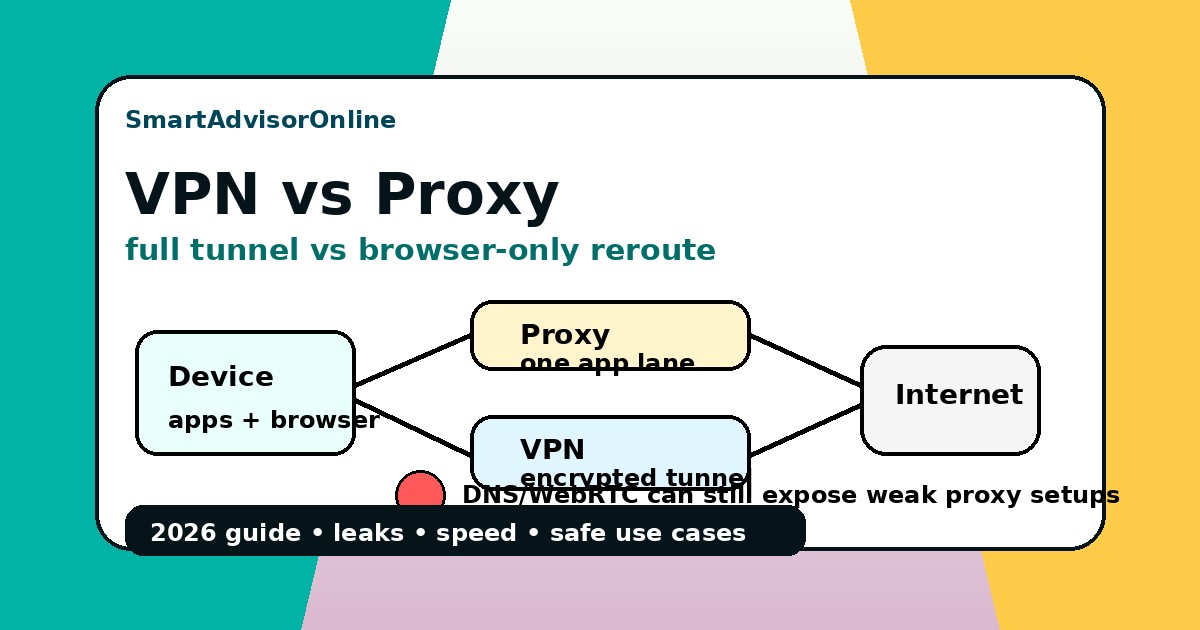
The cleanest way to understand the split is this: a proxy is usually an application-level reroute, while a VPN is a network-level tunnel. That is why the proxy conversation quickly runs into DNS leaks, browser logic like WebRTC, and questions about whether your traffic is really covered at all. VPNs also are not perfect, but they are far closer to full-device protection when configured correctly with a kill switch and sane routing defaults.
Start here: VPN vs proxy in simple words
| Question | Proxy | VPN |
|---|---|---|
| What does it mainly do? | Forwards selected traffic through another server. | Builds an encrypted tunnel for selected device traffic. |
| Does it usually encrypt everything? | No. HTTP/S protection still depends on the website or app. | Yes, traffic inside the tunnel is encrypted between your device and the VPN server. |
| Does it cover the whole device? | Usually no. Often browser-only or app-specific. | Usually yes, if the VPN app is configured correctly. |
| Main risk? | False sense of protection, DNS/WebRTC leaks, and uncovered apps. | Bad provider trust, wrong settings, VPN drops, or leaks if misconfigured. |
| Best everyday use? | Low-risk browser testing or app-specific routing. | Public Wi-Fi, work, payments, streaming apps, travel, and mixed device traffic. |
Live streaming status
We keep the same live status block from the Hulu standard here because people often notice the proxy-versus-VPN difference first on streaming routes. If the path is unstable, even the right tool looks bad.
Why VPN and proxy are not the same thing
A proxy normally handles one app flow, often at the browser or app layer. A VPN operates lower in the stack and can route the whole device through one encrypted tunnel. That difference is why a proxy may leave gaps for torrent apps, messengers, game clients, or system services that never touch your browser.
This is also why browser extensions are so often misunderstood. A browser route is not the same as a full tunnel. You can still browse one website through a proxy and leak your real IP through WebRTC, background DNS resolution, or another application that completely ignores the extension. That matters even more on guides like VPN vs Tor, VPN vs firewall, and proxy comparisons against privacy tools, because people tend to compare headlines instead of looking at traffic scope.
The Data Tunnel Visualizer
The Data Tunnel Visualizer
Switch modes and watch what stays exposed.
The Leak Detector Simulator
This is where most "fake VPN" extensions fall apart. They may change the visible website IP, but still leak through browser logic or side channels. If you already ran into strange behavior on anonymity setups, or you keep wondering why one site sees the "VPN" while another still knows your real network, the answer is often here.
The Leak Detector Simulator
Toggle the mode and see what a site can still learn.
Proxy mode
Sites may see a changed browser IP, but WebRTC and DNS logic can still point back to your real network.
The Performance & Use-Case Selector
Proxies do have a place. The mistake is pretending they replace VPNs for security. If your task is narrow and low-risk, a proxy can be fine. If your task is sensitive, a VPN should be the default. That is especially true for online banking, remote access, restricted networks, and messy remote work setups.
The Performance & Use-Case Selector
Fast Web Browsing
For a low-risk browser-only task, a good SOCKS5 or HTTP proxy can be enough. It is the lightest tool, but not the safest one.
Speed reality check: fast does not always mean safer
A proxy can feel faster because it often routes only one browser flow and adds little or no encryption. But if the route is unstable, throttled, or leaking, that "speed win" is fake. Use our Speed Test when you want to compare clean browsing speed against real tunnel performance.
| What you see | What it usually means | Best next move |
|---|---|---|
| Proxy feels faster in one browser tab | Lower overhead, but narrow coverage only | Fine for a low-risk browser task; not for full-device safety |
| VPN is slightly slower but stable | Encryption overhead with cleaner routing | Keep the VPN for work, Wi-Fi, streaming, and sensitive use |
| VPN becomes dramatically slower | Bad exit route, overloaded server, or protocol mismatch | Run the Speed Test, then switch server or protocol before blaming VPN as a category |
| Proxy is fast, but sites still detect / leak | Speed is coming at the cost of coverage | Check Leak Test and compare with a full VPN tunnel |
VPN vs Proxy 2026: the practical comparison
| Feature | HTTP/S Proxy | SOCKS5 Proxy | Full-System VPN |
|---|---|---|---|
| OS level support | Browser only | Selected apps | Entire device |
| Encryption | Partial / website-dependent | None by itself | Encrypted tunnel |
| Privacy leak risk | High | Medium | Lowest |
| Speed impact | Low Minimal | Low Very low | Medium Low with WireGuard-class protocols |
| Best for | Quick browser bypass | Selected app routing | Privacy, work, streaming, device-wide safety |
| 2026 status | Legacy / narrow use | Task-specific | The standard |
Check the difference with real tools
The easiest way to catch a weak proxy is to test what still leaves the device. Start with IP, DNS, IPv6, and WebRTC, then check speed and route stability. If the problem appears only on streaming platforms, check the live platform status before blaming the privacy tool.
Check with our tools
Do not guess. Test. Run the Leak Test, compare route quality with the Speed Test, use the Streaming VPN Diagnostic for platform errors, open the Status Center, and keep the Knowledge Base open if you are debugging DNS, IPv6, or browser leaks. If a setup keeps acting strange, compare with VPN error codes and VPN troubleshooting before blaming the provider.
The "free VPN extension" myth
The biggest trap is calling every browser reroute a VPN. A browser extension may be useful, but that does not make it a full tunnel. If it does not protect the whole device, does not stop WebRTC and DNS leaks, and does not give you system-level routing, it should not be treated like a real VPN. That is why comparisons such as free VPN vs paid VPN and why use a VPN still matter: they explain the cost of pretending a small browser trick is real protection. When performance is the excuse for choosing a proxy, verify it with the Speed Test instead of assuming that lighter always means better in real use.
Related guides
- What is a VPN?
- Why use a VPN?
- How VPN works
- VPN vs Tor
- VPN vs Firewall
- DNS Leak Protection
- VPN Kill Switch
- Free VPN vs Paid VPN
- VPN for Public Wi-Fi
- VPN Glossary
PAA: VPN vs proxy questions people ask
Updated on 20 May 2026. We refresh this guide when browser leak behavior, VPN defaults, and route quality signals change.
✓ VPN vs proxy scope reviewed against current browser, WebRTC, and tunnel guidance
✓ Leak Test referenced for IP / DNS / IPv6 / WebRTC checks
✓ Speed Test referenced for proxy vs VPN performance checks
✓ Streaming VPN Diagnostic and Status Center added for platform-error context
Verification date: