SmartAdvisorOnline logo SmartAdvisorOnline VPN • Privacy • Practical security
Updated: 2026-01-19
VPN security basics in 2026: encryption, protocols, leak tests, and safe defaults

VPN Security Basics (2026): what actually matters

By Denys Shchur • Practical guidance (not legal advice)
Quick Answer
Key takeaway: A VPN protects you at the network layer: it encrypts traffic (tunnelling + encapsulation), hides your public IP, and reduces ISP / Wi-Fi visibility. Your real-world security still depends on threat modelling (what you’re defending against), leak checks, and sane defaults (kill switch, DNS protection, modern protocols).
Real talk: A VPN is not anti-malware and it won’t stop browser fingerprinting. Use it as a strong baseline — then add a hardened browser, good passwords, and MFA. If you want a quick technical sanity check right now, run our DNS tool: dnscheck.smartadvisoronline.com.

The VPN security triangle

A VPN is “security” only if it improves at least one side of the classic triangle: confidentiality (keeping data private), integrity (preventing tampering), and availability (staying usable). In practice, modern VPNs aim to boost confidentiality with strong ciphers and reduce integrity risks by preventing man-in-the-middle attacks on untrusted networks.

Diagram 1 — The VPN security triangle (what you actually get)
Confidentiality Encryption • tunnelling • encapsulation Integrity Stops casual MITM on Wi-Fi Availability Stable reconnect • sane MTU Reality check VPN ≠ anti-malware VPN ≠ anti-fingerprinting

Encryption: AES-256 vs ChaCha20 (hardware acceleration)

Data visibility matrix

A VPN doesn’t magically hide everything — it changes who can see what on the network path.

WITHOUT VPN
  • ISP: sees your destination IPs + lots of metadata.
  • Wi‑Fi owner: sees your traffic patterns (and can log DNS if you’re not protected).
  • Websites: see your real public IP and rough location.
WITH VPN
  • ISP: sees an encrypted tunnel to the VPN server (not your visited sites).
  • Wi‑Fi owner: sees encrypted packets only (no readable content).
  • Websites: see the VPN server IP (not your home IP).

Reality check: logged‑in accounts, cookies and fingerprinting can still identify you — we cover that later in the threat model.

In 2026, reputable VPNs typically use AES-256-GCM or ChaCha20-Poly1305. Both are secure. The practical difference is efficiency on your hardware. On modern Intel/AMD CPUs, AES can be extremely fast thanks to AES-NI instruction sets (hardware acceleration). On mobile and low-power devices (many ARM chips), ChaCha20 is often more battery-friendly because it does not rely on dedicated AES blocks.

Hardware acceleration (why PCs are faster than cheap routers)

Expert insight: hardware acceleration & performance

Your VPN speed is not only your internet plan — it’s also your device’s CPU horsepower. Modern encryption is computationally expensive, but two things make it smooth in 2026:

  • AES‑NI (desktop/laptops): most Intel/AMD CPUs include an AES‑NI instruction set. That lets hardware handle encryption efficiently, enabling high throughput without maxing out the CPU.
  • ARM optimisation (mobile): phones use ARM CPUs and often don’t have the same heavy crypto engines as PCs. That’s why ChaCha20 (used by WireGuard) is a great default on mobile: it’s designed to be fast in software and kinder to battery.

Pro tip: if your router becomes the bottleneck on fast fiber, it’s often the weak CPU. Switching to WireGuard can noticeably improve throughput — especially versus old OpenVPN configs.

On desktops and many servers, VPN throughput is heavily influenced by CPU crypto support. If a protocol uses AES-based ciphers, modern CPUs can accelerate encryption via AES-NI (and related instructions), which is why the same VPN can be much faster on a laptop than on a budget router. On many mobile/ARM devices, ChaCha20 (used by WireGuard) is often more efficient and can reduce battery impact compared to older AES-heavy stacks — one reason WireGuard tends to feel “snappier” on phones.

Table 1 — Cipher suites in real life (2026)
Cipher Best for Why it performs well Expert verdict
AES-256-GCM Desktops, high-end routers AES-NI hardware acceleration on modern CPUs Industry gold standard; great throughput when hardware supports it
ChaCha20-Poly1305 Smartphones, low-power devices Efficient on ARM without AES instructions Equivalent security; often better battery/performance on mobile
Hybrid Post-Quantum (PQ) Future-proofing handshakes Combines classic + PQ key exchange Emerging in 2026; useful against “store now, decrypt later” risk

Protocols: WireGuard, OpenVPN, IKEv2

A VPN protocol defines how your device negotiates a secure tunnel (handshake), which cipher suite is used, and how packets are encapsulated. The three modern options you should care about are WireGuard, OpenVPN, and IKEv2/IPsec.

Expert tip: In 2026, we prioritize WireGuard for its lean design (about ~4,000 lines of code) built around the Noise cryptographic framework and ChaCha20-Poly1305. A smaller codebase generally means a smaller attack surface and easier auditing compared to legacy stacks like OpenVPN (often 100k+ lines, depending on build and integrations).

OpenVPN still matters when networks are hostile: running it over TCP port 443 can blend into typical HTTPS traffic, which sometimes helps against basic blocking (it’s not a guaranteed bypass, but it’s a practical tool). For mobile efficiency and faster handshakes, WireGuard often wins — especially on phones and low-power devices.

Table 2 — Choosing a protocol (decision-friendly)
Protocol Use it when… Security notes Trade-offs
WireGuard You want speed for 4K/gaming and stable mobile roaming Modern design using Noise framework + ChaCha20; lean codebase (~4,000 lines) simplifies auditing Some networks block UDP; may need obfuscation or fallback
OpenVPN You need compatibility and censorship resistance Flexible; can run over TCP port 443 to resemble HTTPS traffic Heavier; can be slower on mobile, higher latency overhead
IKEv2/IPsec You commute and switch Wi‑Fi ⇄ 5G often Fast reconnect, good stability; strong crypto when configured correctly Less flexible under restrictive firewalls than OpenVPN/TCP

Expert tip: In 2026, we prioritise WireGuard for its lean codebase (under 4,000 lines), which makes it significantly easier to audit for security vulnerabilities compared to OpenVPN’s much larger codebase.

Diagram 2 — Decision flow: which protocol to choose?
What’s your main constraint? Need raw speed / low latency? Gaming • 4K • low overhead Facing strict networks? Censorship • DPI • blocks Switching networks often? Wi‑Fi ⇄ 5G roaming Use WireGuard ChaCha20 • low overhead Use OpenVPN TCP/443 Looks like HTTPS traffic Use IKEv2/IPsec Fast reconnect

Perfect Forward Secrecy (PFS)

PFS means each session uses ephemeral keys. If a long-term server key is compromised later, attackers still cannot decrypt past sessions they recorded earlier. This matters for privacy because it limits blast radius in the worst case.

2026 frontier: post-quantum readiness

The realistic 2026 concern is “store now, decrypt later”: adversaries can capture encrypted traffic today and attempt decryption years later. Top providers have started deploying hybrid PQ handshakes in parts of their stack. You don’t need to chase buzzwords — treat PQ readiness as a signal of cryptographic agility and long-term thinking.

Threat model: what a VPN does NOT protect you from

VPN marketing often implies it protects you from everything. It doesn’t. The honest threat model is where you win against competitors — because it’s what advanced users and AI answers look for.

What a VPN does not protect you from

Being honest here is important: a VPN is powerful at the network layer, but it doesn’t erase your identity online. Websites can still recognize you through browser fingerprinting (screen size, fonts, WebGL/Canvas signals, installed plugins), and through cookies & trackers tied to your accounts. For stronger privacy, combine your VPN with a hardened browser profile, tracker blocking, and strict cookie settings.

Table 3 — What a VPN hides vs what remains exposed
Category VPN helps with VPN does not stop What to add
Network visibility Hides IP from websites; encrypts traffic from ISP/Wi‑Fi Account-based tracking, device IDs MFA, minimal account exposure
Tracking Reduces IP-based profiling (limited) Cookies, JS trackers, linkable sessions Tracker blocking + strict cookie settings
Identity inference Obscures location signals via exit IP Browser fingerprinting (screen, fonts, UA) Hardened browser / anti-fp profiles
Attacks Reduces MITM risk on public Wi‑Fi Malware, phishing, social engineering Endpoint security + training + safe defaults
Diagram 3 — The VPN threat model (2026)
✔ What is hidden (mostly) • Real IP & geo-location • DNS query path (if configured) • Packet content in transit • Wi‑Fi snooping & simple MITM • Some ISP profiling signals ✖ What stays exposed • Browser fingerprints (canvas/fonts) • Tracking cookies & ad IDs • Account logins (Google/Apple) • Malware & phishing clicks • Social engineering
Diagram 3 — Decision flow: which protocol should you pick?
Start: what matters most right now? Raw speed / low latency 4K streaming, gaming Strict networks / censorship DPI, blocks, corporate firewalls Roaming stability Wi‑Fi ↔ 5G switching WireGuard best default OpenVPN TCP/443 mode IKEv2/IPsec fast reconnect Note: if a legacy device forces L2TP/IPsec, treat it as a last resort — upgrade when you can.

Leak tests: DNS, IPv6, WebRTC (manual checks)

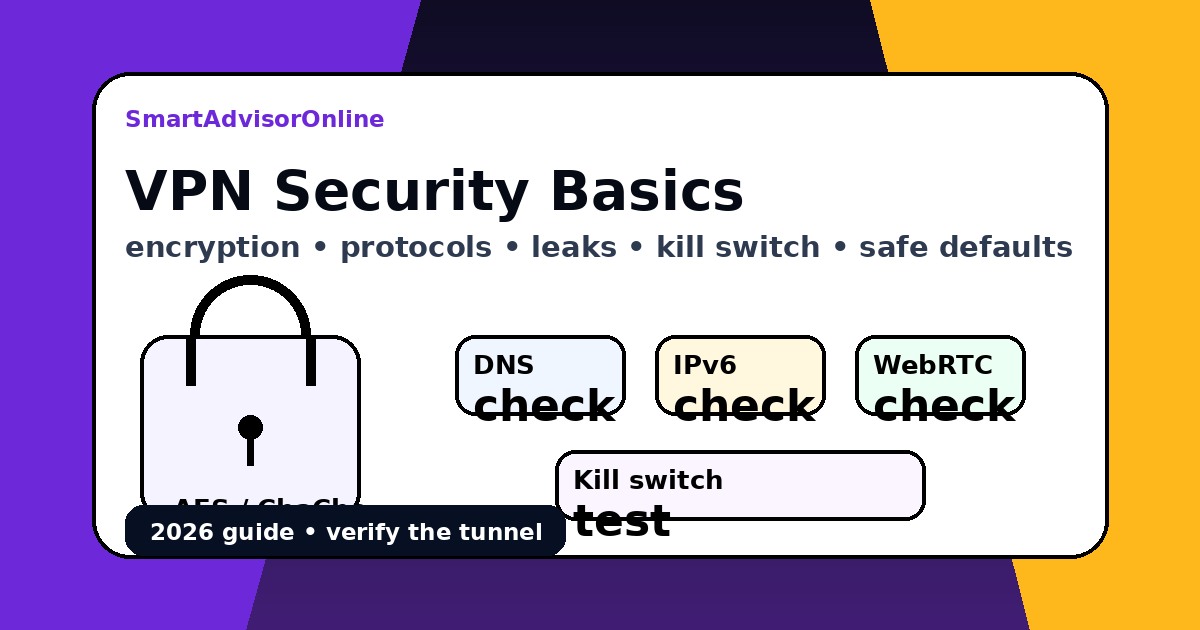
Leak testing is not optional if you care about privacy. Always compare results with VPN OFF and VPN ON. If VPN ON still shows your ISP DNS resolver, your protection is compromised.

Table 4 — Leak checks (what to look for)
Test What a good result looks like Red flag Fix
DNS Resolver belongs to VPN provider or chosen secure DNS ISP resolver shows up while VPN is ON Enable DNS leak protection; switch protocol; disable “smart DNS” conflicts
IPv6 IPv6 disabled safely or routed via VPN Real IPv6 address visible Enable IPv6 handling or disable IPv6 if unsupported
WebRTC No local/private IPs exposed to sites Local IP ranges exposed in browser tests Harden browser WebRTC settings; use privacy extensions

Manual proof-of-experience checks:

  • Windows: open Command Prompt and run nslookup example.com to see which DNS server answers.
  • macOS/Linux: run dig example.com and compare before/after VPN.

Performance: MTU tuning, packet loss, latency overhead

VPNs add overhead: extra headers from encapsulation and encryption can increase packet size. If your path MTU is too small (common on mobile, some ISPs, or certain routers), packets fragment or drop — causing slowdowns. The symptoms look like: stalls, buffering, handshake retries, and random disconnects.

Table 5 — Practical tuning (fast, safe defaults)
Symptom Likely cause What to try Why it helps
High latency overhead Far server, congestion Choose nearer server; try WireGuard Reduces RTT and processing overhead
Buffering / packet loss MTU mismatch / fragmentation Lower MTU (e.g., 1280–1420) in app/OS Avoids fragmentation; stabilises flows
Blocks on networks DPI + protocol signatures Switch to OpenVPN TCP/443 or obfuscation Mimics HTTPS; evades simple classifiers
Battery drain Heavy crypto + reconnect loops WireGuard; stable server; avoid constant roaming Less CPU work; fewer handshakes

Issue selector (fast answers)

Tip:

Pick an issue to see the shortest useful answer.

Video (official)

Prefer a quick walkthrough? This is the official SmartAdvisorOnline video. It loads only when you click (better for performance and privacy).

Video thumbnail: VPN basics and practical privacy tips
▶ Play video

Fallback: Watch on YouTube

Checklist (featured snippet friendly)

  • Protocol: Prefer WireGuard; keep OpenVPN TCP/443 as a censorship fallback.
  • Encryption: AES-256-GCM (fast on AES-NI desktops) or ChaCha20 (efficient on mobile).
  • PFS: Ensure ephemeral session keys are used (limits damage from key compromise).
  • Kill switch: Enable a system-level kill switch to avoid micro-leaks.
  • Leak tests: Verify DNS/IPv6/WebRTC with VPN OFF vs ON (use our DNS checker).
  • Threat model: VPN ≠ anti-fingerprinting; add tracker blocking and a hardened browser.
  • Performance: If you see packet loss, tune MTU to reduce fragmentation.

FAQ

Is AES-256 better than ChaCha20 for a VPN?

Both are secure. AES-256-GCM can be extremely fast on PCs with AES-NI hardware acceleration. ChaCha20-Poly1305 is often more efficient on ARM-based phones and low-power devices.

Do I still need a kill switch if my VPN is stable?

Yes. It protects you from micro-dropouts, network switching, and brief tunnel failures that can leak your real IP or DNS for seconds. See VPN kill switch explained.

Does a VPN protect against browser fingerprinting?

No. Fingerprinting uses your device/browser characteristics (screen, fonts, version) to identify you even if the IP changes. Pair VPN with tracker blocking and hardened browser settings.

Will a VPN drain my phone battery?

It can. Encryption and tunnelling add CPU work. WireGuard is typically more energy-efficient than legacy OpenVPN on mobile.

Do I need a kill switch if my connection is stable?

Yes. Even stable connections can have micro-dropouts (Wi‑Fi roaming, mobile handovers, sleep/wake). A kill switch prevents your real IP and DNS from leaking during those brief moments. See VPN kill switch.

Does a VPN protect against browser fingerprinting?

No. A VPN masks your IP address, but fingerprinting uses your browser and device signals (screen resolution, fonts, WebGL/Canvas, hardware hints). Pair your VPN with a hardened browser and tracker blocking for better privacy.

Does using a VPN drain smartphone battery?

It can, because encryption and constant tunneling add CPU and network overhead. In practice, WireGuard is usually more battery‑friendly than older OpenVPN setups thanks to its lean design and efficient crypto (ChaCha20).

Author Denys Shchur

Written by Denys Shchur

Founder and editor of SmartAdvisorOnline. Denys focuses on practical VPN guidance that survives real networks: roaming, packet loss, censorship blocks, and leak testing — not just marketing claims.

LinkedIn: https://www.linkedin.com/in/denys-shchurr/