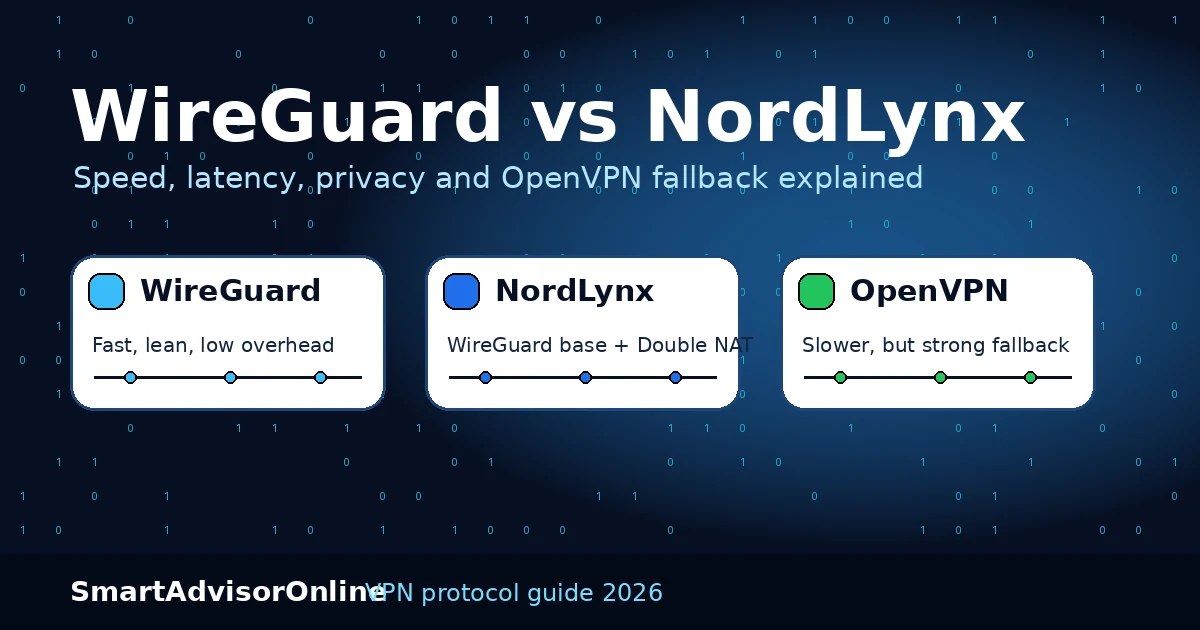
WireGuard vs NordLynx vs OpenVPN (2026): speed, latency, privacy & protocol trade-offs
Quick verdict: which one wins where?
The practical decision is not about marketing labels. It is about what breaks first in your setup: raw speed, privacy model, or network restrictions.
Start here: what people usually mean by WireGuard vs NordLynx
Most people asking this question are not trying to study protocol theory. They want to know which setting to tap in a VPN app. The simple rule is: use NordLynx inside NordVPN, use WireGuard when your provider offers a clean WireGuard setup, and keep OpenVPN TCP/443 as the fallback when public Wi-Fi, office filters, or hotel networks break the faster option.
- Yes, NordLynx is built on WireGuard.
- The extra part is NordVPN's Double NAT session design.
- That makes it a provider-specific implementation, not a separate open protocol you can use everywhere.
- Start with WireGuard or NordLynx.
- Measure ping and jitter, not only download Mbps.
- If everything is slow, test your raw line before blaming the VPN protocol.
- WireGuard, NordLynx, and OpenVPN can all be secure when implemented well.
- The provider's no-log policy, DNS handling, kill switch, and audits matter too.
- Do not choose by protocol name alone.
- Because some networks punish UDP tunnels.
- OpenVPN TCP/443 can still work as a compatibility fallback.
- It is not the fastest default, but it remains useful when the network is ugly.
| Scenario | Best pick | Why it usually wins |
|---|---|---|
| Gaming and low latency | WireGuard / NordLynx | Lower overhead, faster reconnection, better latency behavior under normal home broadband. |
| NordVPN users who care about privacy design | NordLynx | Keeps WireGuard-like feel while adding NordVPN’s privacy-focused Double NAT session model. |
| Hotel Wi‑Fi, office filters, strict firewalls | OpenVPN TCP/443 | Heavier and slower, but still the protocol most likely to survive ugly network restrictions. |
| Battery-sensitive mobile use | WireGuard / NordLynx | Lean design usually needs fewer CPU cycles than OpenVPN for the same traffic. |
VPN marketing often turns protocol choice into a slogan, but the real difference shows up in boring places: handshake time, reconnection speed, CPU load, and how cleanly a tunnel behaves on messy networks. If you already read how VPNs work, this guide is the practical next step. We are comparing classic VPN protocol families, modern kernel-first design, and NordVPN’s privacy layer in terms that matter when you are actually using the tunnel.
Live streaming status
We keep the live status block here because protocol choice and route health are linked. A “slow VPN” is often a bad path, not a bad protocol. Check the feed first, then test your protocol assumptions.
What really separates the three
Standard WireGuard is fast because it is simple, but that simplicity raises a privacy question: a server still needs live routing state to know where to send your packets back. NordLynx keeps WireGuard’s speed and adds a Double NAT system so the service can separate session routing from a simple static user-to-tunnel relationship. That is the main reason NordLynx is not just “WireGuard with a new name.”
WireGuard is the clean speed machine. Its small codebase, quick handshake, and kernel-space design are why it feels so snappy. If you compare it with older tunnel models or even with broader protocol comparisons, the same pattern appears again and again: lower overhead, faster recovery, better battery life.
OpenVPN is the veteran. It is heavier, slower, and more demanding on battery, but it still has one big job nobody should ignore: getting through hostile networks. When you are on a hard hotel filter, a strict office link, or a national block where UDP gets crushed, OpenVPN TCP over 443 can still behave like the tank that keeps moving. That is why it keeps showing up in guides about restricted networks, public Wi‑Fi, and troubleshooting broken tunnels.
NordLynx sits in the middle of the real-world discussion: it keeps WireGuard’s feel, but adds a privacy-focused session design. For many users that means the obvious everyday answer is NordLynx first, OpenVPN second. If you care more about broad background context, it also helps to read VPN security basics, VPN encryption, and VPN access control.
The Protocol Race Track
Protocol Race Track
Press start and compare round-trip time, handshake style, and privacy notes.
Figures shown in this widget are illustrative examples, not measured benchmarks.
Real-world performance: where the difference actually shows up
On paper, protocol comparisons often stop at throughput, but real users feel the difference somewhere else first: latency spikes, reconnection behavior, mobile network switching, and how hard the tunnel pushes weak router CPUs. That is why a protocol can look “fast” in a benchmark and still feel worse in daily use.
| Real-world factor | What usually happens | Practical takeaway |
|---|---|---|
| Gaming latency under stable broadband | WireGuard and NordLynx usually recover faster from route changes and add less overhead than OpenVPN. | For FPS, racing, or cloud gaming, start with WireGuard or NordLynx first. |
| Buffer recovery on streaming | The faster handshake and cleaner recovery of modern protocols often helps after brief Wi‑Fi drops. | If buffering starts after a network switch, protocol choice can matter more than headline speed. |
| Phone moving between Wi‑Fi and mobile | WireGuard-family tunnels usually feel quicker and less annoying when the network changes underneath them. | For phones and tablets, WireGuard or NordLynx is usually the least painful daily option. |
| Weak router CPU or older hardware | OpenVPN often taxes slower hardware harder, especially under sustained traffic. | If your router struggles, modern low-overhead protocols usually make the bigger difference than raw ISP speed. |
Battery Drain Simulator
Protocol choice matters more on phones and light laptops than many people realize. When the tunnel has to wake the CPU harder and longer, the battery tells the truth quickly. That is why mobile-first readers often get more value from a protocol article than from a provider review. If battery life is your main pain, compare this section with VPN on Android, VPN on iOS, and VPN on Mac.
Battery Drain Simulator
Censorship Resilience Map
This is the part many fast-protocol fans forget: the fastest tunnel is not useful if it cannot survive the network. On open home broadband, WireGuard and NordLynx usually win. On strict links, OpenVPN still keeps a seat at the table. For the broader context, read VPN for remote work, VPN for developers, and VPN for Chromebook if your daily use changes by device or work setup.
Censorship Resilience Map
Public Wi‑Fi
Best pick: WireGuard or NordLynx. You usually want quick handshakes, low battery use, and clean recovery after network changes.
2026 technical reality check: the cold hard truth
| Metric (May 2026) | OpenVPN | WireGuard | NordLynx |
|---|---|---|---|
| Codebase profile | Large, mature, feature-rich | Lean, modern, easier to audit | WireGuard-based with NordVPN privacy layer |
| Handshake speed | Usually slower | Usually fast | Usually fast |
| Throughput pattern | Usually lower because of higher overhead | Usually high on modern devices | Usually close to WireGuard when routing is healthy |
| Privacy model | Provider-dependent session handling | Fast, simple tunnel state | Double NAT session design inside NordVPN |
| Restricted networks | Best fallback on TCP/443 | Can fail when UDP is blocked | Fast first choice, fallback may still be needed |
| Battery impact | Highest | Lowest | Low |
Where the protocol choice really changes your day
WireGuard usually feels cleaner on unstable networks because it is lighter and reconnects fast. NordLynx keeps that same fast feel, but the privacy model is easier to trust if you are already inside the NordVPN ecosystem. OpenVPN still matters when the network itself is the problem, not the protocol. That is why people who move between home broadband, hotel Wi‑Fi, and work dashboards often end up with a two-layer habit: fast protocol first, heavier fallback second.
The most common mistake is blaming the protocol for everything. Sometimes the real issue is route quality, packet loss, or a weak Wi‑Fi link. Before switching tunnels three times in a row, run the Speed Test and compare the baseline with the tunnel active. If the raw line is already unstable, changing protocols alone will not save you.
| Need | Best starting choice | Why | When to switch |
|---|---|---|---|
| Lowest practical ping for games | WireGuard / NordLynx | Lower overhead, faster recovery after micro-drops, less CPU pressure on most systems. | Switch only if the network blocks UDP or routing becomes erratic. |
| Daily NordVPN use with privacy in mind | NordLynx | You keep WireGuard-like performance with NordVPN’s privacy-oriented session design. | Move to OpenVPN TCP/443 if the network starts killing the tunnel. |
| Older routers and weak hardware | WireGuard | Less encryption overhead usually means less heat and fewer performance collapses under load. | Switch if compatibility or provider support becomes the bottleneck. |
| Hotel / office / restrictive guest Wi‑Fi | OpenVPN TCP/443 | Not elegant, not fast, but still the best survivor when the network is hostile. | Return to WireGuard or NordLynx once the tunnel can breathe again. |
The hidden costs people usually miss
Latency spikes matter more than headline Mbps. A tunnel that benches fast but adds jitter can feel worse than a slower tunnel that stays stable. That is why protocol choice matters for public Wi‑Fi, remote work, and restricted networks in completely different ways.
Roaming behavior matters on phones. When your device jumps between Wi‑Fi and LTE, a protocol with cleaner reconnect behavior saves more frustration than an extra 50 Mbps you never notice. This is one reason WireGuard-family tunnels tend to feel better on Android and iPhone.
Provider implementation still beats protocol theory. A well-run NordLynx deployment can outperform a sloppy generic WireGuard stack, and a badly routed server can make the “faster” protocol look broken. That is why the smarter move is often: choose the right protocol family, then choose the provider that actually runs it well. In practice, that usually means starting with NordVPN for NordLynx, Surfshark for cost-efficient WireGuard coverage, or Proton when you want a strong OpenVPN fallback in the same toolbox.
Protocol reality check with Speed Test
Use this simple workflow before deciding that one protocol is “bad”. Measure your raw line first, then test again with the tunnel active.
| What you see | What it usually means | Next move |
|---|---|---|
| Good baseline, bad WireGuard result | Weak server route, overloaded location, or provider-side issue. | Change server first, then compare again with Speed Test. |
| Both WireGuard and NordLynx feel fine, OpenVPN drops hard | Normal on everyday networks - OpenVPN overhead is showing. | Keep OpenVPN only as fallback, not as the default. |
| Everything is slow | The line or Wi‑Fi itself is unstable. | Check local network quality before blaming the protocol. |
| Latency is worse, throughput looks okay | Route quality or jitter problem, often visible in gaming and calls before downloads. | Prioritize the protocol/server combo with steadier ping, not just the highest Mbps. |
Check the protocol change with our tools
After you switch protocols, test the result instead of trusting the app badge. A VPN app can say “connected” while DNS, IPv6, WebRTC, routing, or speed still tells a different story.
- Use the Leak Test Tool after changing protocol.
- Check IP, DNS, IPv6, and WebRTC.
- If DNS changes back to your ISP, the problem is not “WireGuard vs NordLynx”. It is leak handling.
- Use the Speed Test with VPN off, then on.
- Compare ping, jitter, download, and upload.
- For gaming and calls, stable latency can matter more than peak Mbps.
- Open the Status Center before blaming the protocol.
- A platform-side outage or weak route can look like a VPN protocol issue.
- For platform errors, use the Streaming VPN Diagnostic.
- Use VPN not connecting for connection failures.
- Use VPN kill switch if traffic escapes during reconnects.
- Use DNS leak protection if the leak test fails.
Which one should you use?
Use NordLynx if you are on NordVPN and want the easiest mix of speed and privacy. Use WireGuard if raw performance, gaming, and mobile efficiency matter most. Use OpenVPN when the network is hostile and you need the protocol most likely to crawl through the cracks. If your real headache is not the protocol but the environment around it, compare VPN not connecting, VPN kill switch, DNS leak protection, and restricted networks.
FAQ: WireGuard, NordLynx and OpenVPN
NordLynx is built on WireGuard, but it is not just the public WireGuard protocol with a new name. NordVPN adds its Double NAT session design so it can keep WireGuard-like speed without relying on a simple static user-to-tunnel identity mapping.
If you already use NordVPN, NordLynx is usually the better default because it is tuned for NordVPN's network and privacy model. If you use another provider or run your own tunnel, normal WireGuard can be the cleaner choice.
They are usually very close because NordLynx is WireGuard-based. In real use, server distance, congestion, device CPU, and route quality often matter more than the small protocol difference.
Yes, but mostly as a fallback. OpenVPN is usually heavier and slower, but TCP/443 can still help on restrictive Wi-Fi, hotel networks, office firewalls, and places where UDP-based tunnels fail.
Start with WireGuard or NordLynx. They usually give lower overhead, faster reconnects, and better mobile behavior. If the network blocks UDP, switch to OpenVPN only as the fallback.
WireGuard and NordLynx are usually better for phones because they are leaner and reconnect faster. That often means less battery pressure during normal browsing, calls, streaming, and Wi-Fi to mobile handovers.
DNS leaks are usually caused by app settings, IPv6 handling, split tunneling, operating system behavior, or reconnect bugs, not only by the protocol name. After switching protocols, run the Leak Test Tool.
No. WireGuard support is useful, but routing quality, DNS handling, kill switch behavior, no-log policy, audits, fallback protocols, and app reliability matter too.
Updated on 20 May 2026. We refresh this guide when protocol behavior, privacy implementations, provider claims, and route quality signals change.
✓ Leak Test (IP / DNS / IPv6 / WebRTC)
✓ Live Streaming Status (service reachability & reliability)
Verification date: