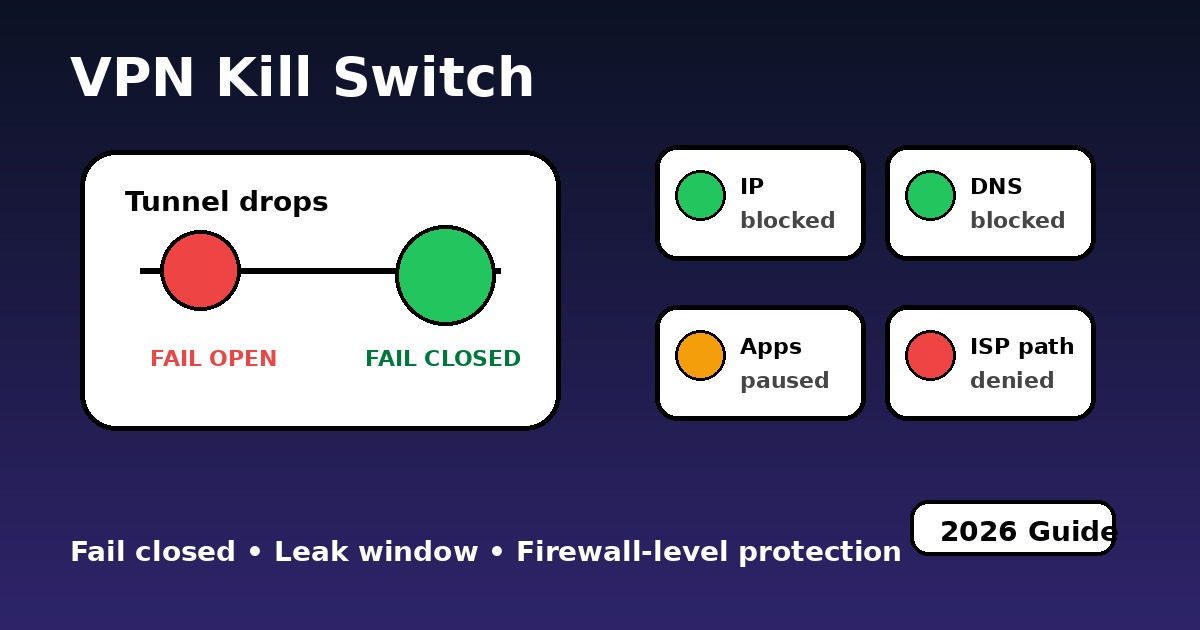
VPN Kill Switch (2026): What It Does, How to Test It and When It Fails
Quick answer A VPN kill switch should block traffic within roughly 30-80 ms of tunnel loss in a strong setup, but the exact leak window depends on the OS, VPN client, protocol and firewall layer. Its job is to stop real IP, DNS requests and background app traffic from falling back to the normal ISP path when the tunnel drops. The strongest designs block at the system or firewall layer, not only inside one app.
Responsible VPN use: VPNs and kill switches can help protect privacy and diagnose IP, DNS, IPv6, WebRTC, speed or connection issues, but platforms, workplaces, schools and networks may apply account rules, security controls, regional licensing, age checks and other terms. This guide is for adult users and lawful troubleshooting. It does not encourage breaking laws, evading age verification, bypassing child-safety protections, defeating workplace or school rules, or violating platform terms.
Source note: NordVPN describes Kill Switch as a feature that helps prevent unprotected internet access when traffic is not going through a NordVPN server. Proton VPN explains that a kill switch blocks traffic when the VPN connection is lost and can also help while switching VPN servers. Proton also documents an advanced kill switch mode that prevents internet access unless the VPN is connected. NordVPN Kill Switch documentation, Proton VPN kill switch documentation, Proton VPN advanced kill switch.
Use diagnostic tools before trusting a kill switch label
Diagnostic use only: These tools help you understand IP, DNS, WebRTC, IPv6, speed and service-error signals. They do not provide legal advice, guarantee access or override service, school, workplace or local rules.
Fail closedInternet stops until the VPN returns. This is the safe outcome.
Fail openTraffic falls back to the ISP path. This is the leak risk.
Partial blockBrowser stops, but DNS, sync or background apps may still talk.
Disclosure: We may earn a commission from partner links. Use VPN services responsibly and only where permitted by local law, network rules and platform terms. See Disclosure.
A VPN looks fine right up to the moment it drops. That is why kill switch design matters more than most people realize. If the tunnel disappears during a server switch, sleep/wake cycle, Wi-Fi handoff, or app crash, your device either stops talking to the internet or quietly falls back to the ISP. That second outcome is where privacy breaks. If you want the surrounding basics first, pair this page with What Is VPN, VPN Encryption, VPN DNS Leak Protection, and VPN vs Firewall.
Live privacy status before changing kill switch settings
This mini status view is useful when a provider issue is broader than your own setup. If disconnects or handshake failures are showing up elsewhere too, the next move is different than when the fault is only local.
Tip: if disconnect complaints spike here, test another protocol before changing half your network.
How a VPN kill switch stops a leak window
This is the core question: what actually leaves your device after the tunnel breaks? The simulator below compares the two outcomes that matter. In the unsafe mode, packets continue toward the internet and the ISP path becomes visible. In the safe mode, traffic gets cut before it can escape.
Breach Simulator
Choose the environment, decide whether fail-safe blocking is enabled, then simulate a tunnel drop.
When the VPN tunnel dies, the safe outcome is boring on purpose: traffic stops. The unsafe outcome is "helpful fallback", which is exactly what you do not want.
What can leak when a VPN disconnects?
One short leak does not go to just one place. Modern devices talk to multiple endpoints almost immediately: DNS resolvers, analytics domains, push services, account infrastructure, and sometimes ad networks. This map turns that into something visual instead of abstract.
Global Leak Map
Choose the signal type and watch where a short fallback path can expose information.
The exact endpoints vary, but the pattern is real: once direct traffic resumes, multiple external systems can observe signals at the same time.
App-level vs system-level vs firewall-level kill switch
Provider labels are not enough. What matters is how fast the block engages, whether it protects traffic during boot or reconnect phases, and whether it fails closed when the client app crashes. The lab below gives a practical model for comparing three familiar brands.
Kill Switch Performance Lab
Trigger time
-
Boot protection
-
Reliability score
-
Stress score0%
Firewall-backed blocking usually wins because the internet is already blocked before apps get a chance to "recover" onto the ISP.
Firewall rule generator for fail-safe VPN blocking
Some people would rather not trust a VPN app alone. If you want a manual fail-safe baseline, the generator below outputs starter rules you can adapt for the protocol and port you actually use. Treat them as templates, not blind copy-paste for every environment.
Firewall Rules Generator
VPN kill switch design comparison
Kill switch design signals in 2026
Design
Main strength
Main weakness
Best use case
2026 verdict
App-level only
Easy to understand and quick to enable
Can miss background traffic and services outside the watched app list
Light everyday browsing
Basic only
System-level routing
Broader coverage across the device
Still depends on route timing and OS behaviour during reconnects
General desktop and mobile use
Good
Firewall-based
Strong fail-closed behaviour and good crash protection
Can feel "annoying" because it really does cut the internet
Work, travel, torrenting, sensitive sessions
Best
Router fail-safe
Protects many devices at once
Troubleshooting is harder and device-level exceptions are trickier
Whole-home routing
Niche but strong
Why a sub-second leak window still matters
A lot of users imagine a leak as a long dramatic outage. In practice it is often smaller and harder to notice: a server rotation, a network handoff, a machine waking from sleep, or a VPN process restarting. That is exactly why people underestimate it. If the block is not enforced below the app layer, even a short fallback can expose real routing. That is also why it makes sense to pair kill switch testing with VPN Error Codes, VPN Not Connecting, VPN Troubleshooting, and Types of VPN Protocols.
Testing note: Independent kill switch testing should check the network path, not just whether the app UI says "protected". A robust setup watches traffic during forced disconnects, server changes, reboot-like states and client crashes. That is why this page recommends leak testing after every kill switch change. RTINGS kill switch testing methodology.
Play official explainer (no cookies until click)
PAA: VPN kill switch questions people ask
What is a VPN kill switch?A VPN kill switch is a fail-safe feature that blocks internet traffic if the VPN tunnel drops, so the device does not quietly return to the normal ISP path.
Do I really need a VPN kill switch?You need one if privacy matters during reconnects, Wi-Fi changes, sleep/wake cycles, server switches or unstable mobile networks. It is less important for casual low-risk browsing.
Does a kill switch stop DNS leaks?A good kill switch can reduce DNS leak risk during disconnects, but you still need a DNS/WebRTC leak test because DNS settings and browser behavior can fail separately.
What is the difference between app-level and firewall-level kill switch?App-level protection watches selected apps. Firewall-level protection blocks traffic at the network layer, which is usually stronger when the VPN client crashes or reconnects.
How do I test a VPN kill switch safely?Connect to the VPN, start a leak test, force a VPN disconnect or server switch, then confirm the internet stops instead of exposing your real IP or DNS path.
Can a VPN kill switch fail?Yes. It can fail during reboot, app crash, sleep/wake transitions, driver conflicts, split tunneling mistakes or when the provider only blocks selected apps.
Does a kill switch work on phones?Android Always-on VPN with block-without-VPN behavior can be strong. iOS behavior depends more on provider integration and OS-level network handling.
Why does the internet stop after I enable kill switch?That usually means the fail-safe is doing its job. If the VPN is disconnected, the kill switch blocks normal internet access until the VPN is restored or the setting is disabled.
Is split tunneling safe with a kill switch?It can be safe if you understand which apps bypass the tunnel. But split tunneling creates exceptions, so test carefully before assuming the kill switch protects everything.
Which kill switch design is best?Firewall-level or system-level blocking is usually stronger than app-only blocking because it is less dependent on the VPN app staying alive.
Related guides
Useful guides connected to kill switch protection and VPN safety.
Last verified by SmartAdvisorOnline Lab: ✓ Leak Test referenced for IP / DNS / IPv6 / WebRTC checks ✓ Speed Test referenced for reconnect latency and tunnel stability checks ✓ Streaming VPN Diagnostic referenced when a connected VPN still breaks app services ✓ NordVPN, Proton VPN and RTINGS kill switch references reviewed Verification date: